

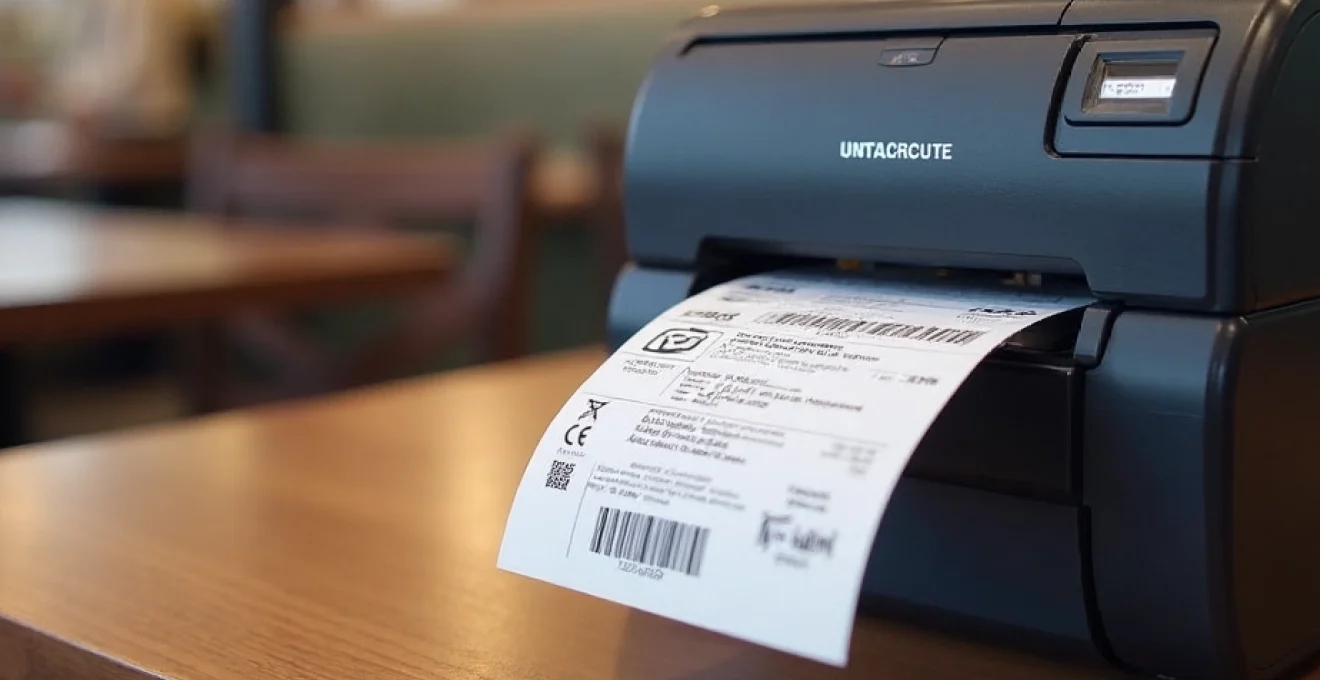
In the fast-paced world of event management, transportation, and retail, the ability to produce high-quality tickets efficiently is crucial. Whether you’re running a bustling box office, managing a busy transit system, or operating a popular attraction, having the right ticket printer can make all the difference. This essential piece of equipment not only ensures smooth operations but also enhances customer satisfaction by providing clear, professional-looking tickets that are easy to read and validate.
Selecting the optimal ticket printer involves understanding various technologies, features, and industry-specific requirements. From thermal printing to inkjet solutions, each technology offers unique advantages that cater to different needs. Let’s dive into the world of ticket printing to help you make an informed decision and ensure your ticketing process runs like clockwork.
Thermal vs. inkjet: choosing the optimal ticket printing technology
When it comes to ticket printing, two main technologies dominate the market: thermal and inkjet. Each has its strengths, and the choice between them depends on your specific requirements and operational context.
Thermal printing technology uses heat to create images on specially treated paper. This method is widely favored in the ticketing industry for several reasons. Thermal printers are fast, quiet, and require no ink or toner, which translates to lower ongoing costs and less maintenance. They excel at producing crisp, clear text and barcodes, which is essential for ticket validation processes.
On the other hand, inkjet printers offer versatility in color printing. While they may be slower and require more maintenance due to ink cartridges, they can produce vibrant, full-color tickets that are eye-catching and can include complex graphics or promotional content. This makes them suitable for special events or situations where visual appeal is a priority.
The Aps Printer offers a range of thermal ticket printers that cater to various industry needs, showcasing the popularity of thermal technology in professional ticketing solutions. However, the choice between thermal and inkjet ultimately depends on factors such as print volume, speed requirements, and the need for color printing.
Thermal printers are the workhorses of high-volume ticketing operations, offering speed and reliability that’s hard to match.
Key features of High-Performance ticket printers
Selecting the right ticket printer goes beyond choosing between thermal and inkjet technologies. Several key features contribute to a printer’s performance and suitability for specific ticketing environments. Understanding these features will help you identify the best printer for your needs.
Resolution and print quality for barcode accuracy
Print resolution is crucial for ticket printers, especially when it comes to barcode accuracy. Higher resolution means sharper prints, which is essential for error-free scanning. Most ticket printers offer resolutions ranging from 203 dpi (dots per inch) to 300 dpi, with some high-end models reaching 600 dpi.
For standard text and basic barcodes, 203 dpi is often sufficient. However, if you’re printing complex 2D barcodes or QR codes, opting for a printer with 300 dpi or higher can ensure better readability and reduce the risk of scanning errors. Remember, the clearer the barcode, the faster and more reliable the ticket validation process will be.
Paper handling mechanisms for diverse ticket stocks
Ticket printers must be able to handle various types of ticket stock efficiently. Look for printers with robust paper handling mechanisms that can accommodate different ticket sizes, thicknesses, and materials. Some printers offer adjustable paper guides or multiple feed paths to support everything from thin thermal paper to thick cardstock.
Advanced models may include features like automatic ticket cutting , which can significantly speed up the ticketing process. This feature is particularly valuable in high-volume environments where rapid ticket dispensing is crucial.
Connectivity options: USB, ethernet, and wireless
In today’s interconnected world, printer connectivity is more important than ever. Most modern ticket printers offer multiple connectivity options to integrate seamlessly with your existing systems. Common interfaces include:
- USB: For direct connection to a single computer or point-of-sale system
- Ethernet: Allows network connectivity for shared access across multiple devices
- Wi-Fi: Enables wireless printing, ideal for mobile ticketing solutions
- Bluetooth: Useful for connecting to mobile devices or tablets in flexible setups
Consider your current infrastructure and future scalability needs when evaluating connectivity options. A printer with versatile connectivity can adapt to changing requirements and integrate with various ticketing software solutions.
Print speed and volume capabilities
For busy venues and high-traffic environments, print speed and volume capabilities are critical factors. Print speed is typically measured in inches per second (ips) for thermal printers or pages per minute (ppm) for inkjet printers. High-performance ticket printers can achieve speeds of 6-12 ips or more, allowing for rapid ticket production.
Volume capabilities refer to the printer’s duty cycle—how many tickets it can reliably produce over a given period. This is particularly important for operations that need to print thousands of tickets daily. Look for printers with robust build quality and high duty cycles to ensure they can handle your peak demand without breaking down.
Top ticket printer models for various industries
Different industries have unique ticketing requirements, and printer manufacturers have developed specialized models to meet these diverse needs. Let’s explore some top ticket printer models tailored for specific sectors.
Boca systems LEMUR-2 for High-Volume event ticketing
The Boca Systems LEMUR-2 is a powerhouse designed for high-volume event ticketing. This thermal printer boasts impressive speeds of up to 8 inches per second, making it ideal for large venues and busy box offices. Its rugged construction ensures reliability even under heavy use, and it supports a wide range of ticket stocks, including magnetic stripe tickets.
Key features of the LEMUR-2 include:
- High-resolution printing at 300 dpi for clear barcodes and text
- Dual ticket feeders for quick switching between ticket types
- Ethernet and USB connectivity for flexible integration
- Built-in ticket burst and cut mechanisms for efficient handling
Zebra ZD620 for retail and transportation
The Zebra ZD620 is a versatile thermal printer that excels in retail and transportation environments. Its compact design makes it suitable for tight spaces, while its advanced features cater to the demanding needs of these industries.
Notable aspects of the ZD620 include:
- Print speeds up to 8 ips with 203 or 300 dpi resolution options
- Easy-to-use interface with a color LCD display for status updates
- Multiple connectivity options, including Wi-Fi and Bluetooth
- Support for both direct thermal and thermal transfer printing
Epson TM-L90 for hospitality and entertainment venues
The Epson TM-L90 is a popular choice for hospitality and entertainment venues due to its reliability and versatility. This thermal printer can handle a variety of media types, including labels and receipts, making it a multi-functional solution for ticketing needs.
Key features of the TM-L90 include:
- High-speed printing at up to 170 mm/second
- Built-in autocutter for clean ticket separation
- Compact design for easy integration into existing setups
- Optional peeler mechanism for label printing applications
Star micronics TSP700II for kiosk integration
The Star Micronics TSP700II is designed with kiosk integration in mind, making it an excellent choice for self-service ticketing applications. Its robust build and flexible paper handling capabilities make it suitable for unattended operations.
Standout features of the TSP700II include:
- High-speed printing at up to 250 mm/second
- Large paper roll capacity for reduced maintenance
- Horizontal and vertical mounting options for versatile installation
- Easy-load paper mechanism for quick media changes
Optimizing printer settings for perfect ticket output
Once you’ve selected the right ticket printer for your needs, optimizing its settings is crucial for achieving perfect ticket output. Proper configuration ensures that your tickets are clear, accurate, and consistently high-quality.
Calibrating print density and darkness
Print density and darkness settings directly affect the readability of your tickets. Too light, and barcodes may not scan properly; too dark, and text can become blurry or smudged. Most ticket printers allow you to adjust these settings either through physical controls on the device or via software interfaces.
To calibrate print density:
- Print a test page with various density settings
- Examine the output for clarity and barcode quality
- Select the optimal setting that provides clear, dark prints without bleeding or smudging
- Perform regular checks to ensure consistency, especially when changing ticket stock
Adjusting feed and cut positions
Proper alignment of feed and cut positions is essential for producing professional-looking tickets with accurate dimensions. Misalignment can lead to wasted ticket stock and potential validation issues.
To adjust feed and cut positions:
- Use the printer’s built-in alignment tools or software utilities
- Print test tickets and measure the top and bottom margins
- Make small adjustments until the ticket content is centered and cut lines are precise
- Save the optimal settings as a default configuration for consistency
Implementing proper driver configuration
The printer driver acts as a translator between your ticketing software and the printer hardware. Proper driver configuration is crucial for optimal performance and feature utilization.
Key aspects of driver configuration include:
- Ensuring you have the latest driver version installed
- Setting the correct paper size and type in the driver preferences
- Configuring advanced features like automatic cutting or barcode generation
- Adjusting print quality settings to balance speed and output clarity
Regularly updating printer drivers can unlock new features and improve overall performance, ensuring your ticketing system stays cutting-edge.
Maintenance routines for consistent ticket quality
Regular maintenance is essential for ensuring consistent ticket quality and prolonging the life of your printer. Establishing a routine maintenance schedule can prevent unexpected downtime and maintain optimal print performance.
Key maintenance tasks include:
- Cleaning the print head: Use manufacturer-approved cleaning solutions to remove dust and debris that can affect print quality
- Inspecting and cleaning paper paths: Ensure smooth paper feeding by keeping rollers and guides free of obstructions
- Checking and replacing wear parts: Items like cutters and platen rollers may need periodic replacement
- Updating firmware: Keep your printer’s software up-to-date to benefit from the latest improvements and bug fixes
For thermal printers, it’s particularly important to use high-quality thermal paper to prevent excessive wear on the print head. Low-quality paper can leave residue that builds up over time, leading to poor print quality and potentially damaging the printer.
Create a maintenance log to track cleaning dates, part replacements, and any issues encountered. This documentation can be invaluable for troubleshooting and planning preventive maintenance.
Integrating ticket printers with POS and ticketing software
The final piece of the puzzle in achieving perfect ticket printing is seamless integration with your point-of-sale (POS) or ticketing software. A well-integrated system ensures efficient ticket production and minimizes the risk of errors.
When integrating your ticket printer:
- Verify software compatibility: Ensure your chosen printer is supported by your ticketing software
- Test different connectivity options: Determine whether USB, Ethernet, or wireless connections work best in your setup
- Configure printer settings within the software: Many ticketing applications allow you to adjust printer settings directly from their interface
- Set up automated tasks: Utilize software features for batch printing or scheduled ticket runs to improve efficiency
Consider implementing a ticket design template system within your software to standardize ticket layouts and streamline the printing process. This can help maintain consistency across different events or ticket types.
For complex setups, it may be beneficial to work with a systems integrator who specializes in ticketing solutions. They can ensure that your ticket printers work harmoniously with other components of your ticketing ecosystem, such as barcode scanners, RFID readers, or digital signage.
By carefully selecting the right ticket printer, optimizing its settings, maintaining it properly, and integrating it effectively with your software systems, you can ensure perfect ticket output every time. This attention to detail not only improves operational efficiency but also enhances the customer experience, contributing to the overall success of your ticketing operations.